IT Monitoring Features
Welcome to our Features page. Here, you’ll find tutorials on event monitors, FrameFlow settings, and other functionality. We upload new tutorials frequently, providing you with step-by-step details on our most recent features.
Feature Search
No matches
Learn how get to started with FrameFlow and build an awesome IT monitoring configuration.
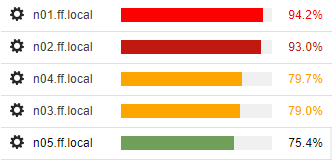
Check CPU, disk space, bandwidth and memory, all in one go. They are the vital
statistics for any server or system.
Monitors any value supported by SNMP networking gear and alerts based on designated parameters.
Monitor incoming, outgoing and total bandwidth on your
switches, routers, firewalls and other networking gear.
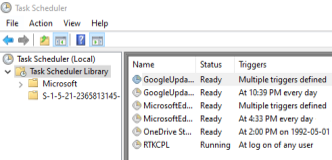
Keeps track of Windows Task Scheduler tasks and alerts based on status and results.
Keep your systems up to date and receive alerts about remote machines that haven't been updated in a while.

Use PowerShell to create a custom event monitor capable of monitoring multiple devices at a time.
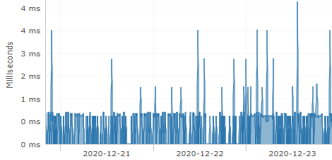
Learn how to set up a Ping Event Monitor to track average and maximum response times for your servers.
Monitor available drive space, changes in the amount of space used, and alert if specified values are exceeded.

Learn how to monitor specified directories based on file presence, file size, and more.
Monitor any MySQL database, run SQL statements, and alert based on retrieved values.

Monitor Oracle database servers for availability and run SQL queries that check the results for certain values.

Discover FrameFlow's methods and tools to automatically onboard newly discovered network devices.
Monitors key health values for VMware host resources including CPU, Bandwidth, Memory, Disk and Ping.

Performs calculations to retrieve stats and metrics about your monitoring configuration.
Unlock new inventory monitoring options with the Windows Inventory Event Monitor.

Learn about system restarts as soon as they happen via customizable alert notifications.
Scan your SNMP-based devices, receive values, and automatically create a custom SNMP Event Monitor.

Create and assign custom maintenance window profiles for your network devices.
Unlock new inventory monitoring options with the Microsoft Intune Inventory Event Monitor.
Use SNMP to discover new devices on your network and automatically add them to a device group!
Search Active Directory and automatically add new systems to your monitoring configuration.

Pings a range of IP addresses to automatically add newly found systems to your monitoring configuration.
Mirrors your FrameFlow installation's graph, event, and ticket data to other systems in your IT environment.

Discover and automatically onboard new business and personal network devices connected to Microsoft Intune.
Learn how to export a copy of your current configuration for future access or set up nightly configuration exports.
Monitor the service status of your Microsoft 365 services and receive alerts if any of them are
not healthy.

Review a list of common terms and terminology used in FrameFlow.
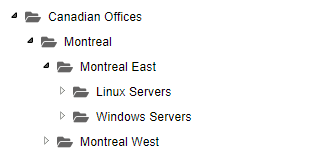
Learn how to optimize the organization of your network devices.
Learn how to monitor users, computers and groups in Active Directory.
Detect expired and locked out accounts.
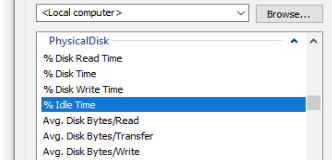
Learn how to monitor Windows Performance Counters using FrameFlow.

Monitor the time between on-premises synchronizations with AD Connect and alerts about synchronization issues.
Learn how to select and monitor your Azure key vault certificates and receive alerts about those due to expire.

Learn how to monitor Microsoft Entra ID user accounts for events like creation, deletion, logins, and more.
Learn how to monitor websites using FrameFlow's Advanced Web Site Event Monitor.
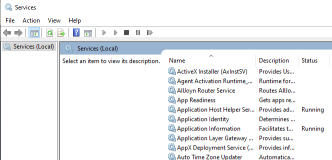
Learn how to monitor Windows Services using FrameFlow's Windows Service Event Monitor.
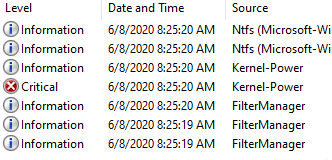
Learn how to monitor Windows Event Logs with FrameFlow.
Learn how to set up email notifications with FrameFlow.
Learn how to set up device property inheritance with FrameFlow.

Learn how to monitor and receive alerts based on your unique Azure Activity Logs.

Monitor your Windows logins and receive alerts about failed login attempts and specific user activity.
Watches your Windows Certificates and alerts based on certificate problems or expiry.
Watches all your Microsoft Intune Managed Apps and alerts about adverse conditions.
Learn how to view and manipulate network devices and event monitors using Spreadsheet Views.
Learn how to create tickets to record notes and coordinate all your IT admin
tasks.

Watches and alerts based on the various statuses of your Microsoft Azure VMs.

Helps you maintain utmost security by monitoring both successful and non-sucessful logins.
How to assign tags to your devices and then monitor all devices with those tags.
Learn all about device widgets and how to define custom widgets for your device status pages.

Receive alerts about Microsoft Azure enterprise applications and expiring client secrets.

Learn how to create a File Event Monitor to monitor log file content including files with names that change daily.
Learn how to set up authentication profiles to be used when accessing your FrameFlow installation.
Learn how to use Frameflow's built-in email templates to send alert emails, or create your own.
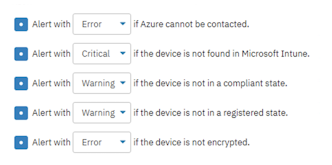
Watch and alert based on compliance metrics for both personal and business devices connected to Microsoft Intune.

Watches connected Linux devices and alerts about planned and unplanned system restarts.

Learn about security, create a login, and set permissions for different users on your FrameFlow instance.

Learn how to set up two-factor authentication to add extra security to your FrameFlow logins.
Learn how to begin monitoring network interface status and specify alert levels for common conditions.
Learn how to monitor CPU usage for an entire system and receive values based on each core.
Learn how to monitor CPU and memory usage for processes on your remote machines.
Learn how to set up a bandwidth monitor for incoming, outgoing, and total bandwidth rates.
Monitor your SQL server databases and receive alerts with the SQL Server Event Monitor.

Monitor your Linux servers for DNF updates and receive alerts when updates are detected.

Watch over Microsoft Defender and get FrameFlow notifications about the presence of incidents or alerts.

Monitor your Microsoft Defender Secure Score for apps, data, device, identity, and infrastructure with FrameFlow.

Monitor your Microsoft Defender vulnerabilities and receive alerts ASAP with this interactive event monitor.
Learn how to set up an IIS Event Monitor to track IIS web server performance statistics.

Learn all about the things FrameFlow can do after getting an alert, like forwarding it to Microsoft Teams or running a script.

Set up an event monitor to send test emails that check sending and receiving across different email servers.

Monitor your SSL certificates for validity, expiration, and other potential issues with the SSL Certificate Event Monitor.
Learn how to use FrameFlow to monitor iLO on your HP servers for potential hardware problems.

Monitors devices in Microsoft Intune and alerts about changes like device assignment, removal, and enrollment.
This event monitor connects to the iDRAC interface on Dell servers and monitors hardware related metrics.

This event monitor connects remote SSH servers and detects and alerts about swap usage.
Watches DynamoDB metrics like capacity, usage, and backups for all your AWS devices.

Discover and automatically onboard new AWS devices, saving you time over the long run.
Monitors the status of your Microsoft 365 Licenses and reports/alerts on retrieved metrics.

Learn all about the different notification triggers FrameFlow offers and how best to implement them.

Get alerts about the status of your Microsoft Azure resources and resource groups.

Keep track of system uptime for all your devices, both in the cloud and on-premises.

Discover how to use and mass-assign SNMP profiles to save your organization time.

Monitor Windows Registry keys and values on remote machines for their presence or absence.
This tutorial goes over how to set up an APT Update Event Monitor to keep track of important updates and reboots.

The LDAP Event Monitor is FrameFlow's tool for monitoring the LDAP protocol and receiving alerts about failures.
Receive instant alerts about devices in a failed state with the Device Failure Event Monitor.

Get alerts about out-of-date applications on connected devices so you can update them ASAP.

Monitor your Telnet servers' response text and receive alerts based on what it contains.

Monitor your S3 buckets for metrics like status, bucket size, object count, and more.

Create custom monitoring actions that are fully integrated with FrameFlow's monitoring and alerting software.

Create custom monitoring actions that are fully integrated with FrameFlow's monitoring and alerting software.
Monitor important performance counters that pertain to your Microsoft Exchange servers.

Monitor firewall status for private, domain, and guest/public networks for all your Windows servers.

Keep on top of important updates for your Linux/SSH network devices and auto-apply updates while you're away.
Learn how to gather data with FrameFlow's robust and customizable Reports section!

Use FrameFlow's HTTP Sequence Monitor to watch metrics like availability, status codes, and download times.
This Microsoft Azure monitor watches your app registrations and alerts you if one or more are due to expire soon.

Create, execute, save, and reuse custom PowerShell monitoring scripts across FrameFlow's interface.
The Microsoft Teams Event Monitor watches and alerts on conditions relating to your teams and channels.
This Linux-specific monitor watches your remote machines and sends alerts based on aspects of their processes.

Learn to access Administration History to view and search recent administrative actions from you and others.

Auto-onboard network devices all at once with FrameFlow's handy device discovery feature. Learn more here.

Scan your network for unrecognized systems and receive tailored alerts if rogues are detected.
Select how long you want to retain both event data and graph data with this short tutorial on data retention.

Monitor Modbus-related values and create custom equations based on them.
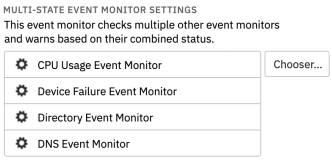
Monitor based on the combined status of event monitors and receive alerts about failures.

Receive alerts about the conditions of your guest machines like snapshots, reboots, changes in state and more.

Monitor disk space metrics for your VMware VMs and receive alerts about remaining space, percentage full, etc.

Receive mobile alerts on-the-go with Telemetry, our convenient mobile IT monitoring app.

Keep an eye on the status of guest/public, private, and domain Windows Network Profiles.

Receive alerts of your choice about the status of your Microsoft Azure services in real-time.

Receive alerts about connection, failed authentication, and changes in Linux servers' key signatures.

Alerts about discrepancies between the time and date on your FrameFlow server vs on your Windows devices.

Alerts about discrepancies between the time and date on your FrameFlow server vs on your Linux-based devices.

Monitor and alerts based on both total and per-core CPU usage for all your Linux-based devices.

Use JavaScript to create an event monitor with custom monitoring and alerting parameters.

Monitors and alerts based on the snapshot space used by VMs hosted by VMware servers.
Learn all about our Linux/SSH File System Event Monitor with this comprehensive tutorial.
Receive alerts about Windows Terminal Services with FrameFlow's specialized event monitor.

The Linux/SSH Login Event Monitor will send alerts about events like new users, logins, and the removal of users.
FrameFlow supports the syslog protocol and can alert on various conditions.

Learn how to set up and configure multi-site monitoring using remote nodes!
The ODBC Event Monitor checks any ODBC database and runs SQL statements.

This event monitor lets you select specific Azure metrics to import into our monitoring engine and receive alerts on.
The DNS Event Monitor connects to a local or remote DNS server to attempt resolving specified domain names.
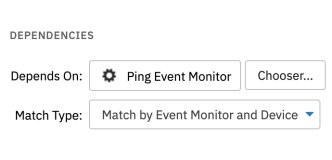
Learn how to use dependencies to control event monitor checks in your FrameFlow IT monitoring environment.
Use single sign-on with SAML to drastically reduce the time you spend logging into FrameFlow!

This tutorial teaches you how to set up a Traceroute Event Monitor to watch the traceroutes of your servers.

Monitoring Windows DHCP servers is a breeze with this comprehensive tutorial on DHCP monitoring.

This tutorial details the procedure needed to set up a failover server for your FrameFlow installation.

Watches and alerts based on a variety of file metrics for your Linux-based devices.
Learn how to create custom FrameFlow monitoring actions using Linux/SSH commands.

Monitor CPU usage, readiness, ready time, and more for VMware-based virtual machines.

Checks physical disk I/O performance counters and alerts if values exceed specified thresholds.
Use FrameFlow to monitor the system where FrameFlow is installed to ensure everything always runs smoothly.

Keep an eye on bandwidth rates for Meraki devices and get alerts about values that exceed your thresholds.

Downloads files from a network drive and measures bandwidth based on the transfer time.

Download files using HTTP and measure minimum and average bandwidth rates.

Monitor and collect website bandwidth data and receive alerts when values exceed those specified.

Monitor and receive alerts about bandwidth for all your Linux-based devices.

Monitors and alerts based on bandwidth data for VMs hosted by VMware.

Monitors Cisco Meraki WAN and cellular interfaces and alerts about their statuses.

Monitor your SMTP servers and receive alerts if the event monitor fails to connect.
Monitor your SQL server databases' performance counters and alerts based on parameters you specify.

Monitors Microsoft Intune user experience metrics on all connected Intune-managed devices.

Monitors and alerts on your process chains using graph data points that represent them.
Monitors specified TCP ports and sends alerts based on their open/closed statuses.

Connects to your TOPdesk account and alerts based on the number of open tickets that exist for each group.
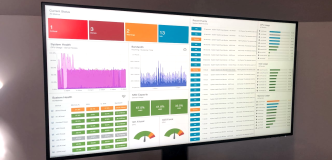
Create personalized views of IT operations for specific users, optimizing productivity and security.
Keep track of what folders are shared on your network devices and alert about specific folders.

Use FrameFlow's SNMP Trap Event Monitor to detect, record, and receive alerts about SNMP traps.

Monitors and alerts based on SNMP table values with dynamically changing lists of items.

Monitors SNMP UPS stats and sends alerts based on battery status and temperature.
Receive alerts about the number of processes running for all your SNMP-compatible devices.

Keep an eye on interface data for Meraki devices and get alerts about changes in interface status.
Monitor uptime for all your SNMP-based devices and receive alerts about reboots.
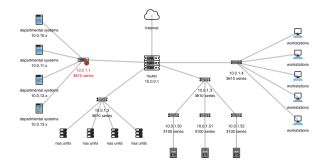
Create custom information-dense diagrams to display all aspects of your IT operations.
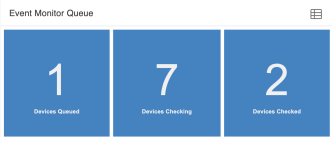
View under-the-hood operations and detect slow processes using the Event Monitor Queue panel.
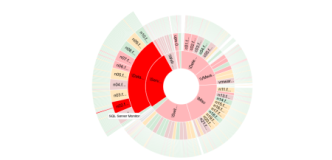
Learn how to use sector graphs to create a comprehensive visual display of your IT operations.
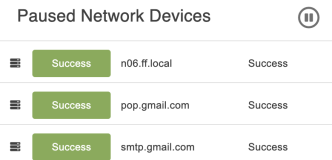
Learn how to get the most out of the Network Device and Event Monitor list panels, respectively.
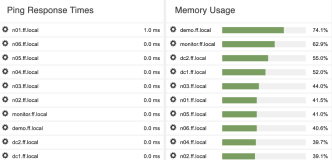
Learn how to use the system health dashboard panel to keep an eye on the overall health of your critical systems.
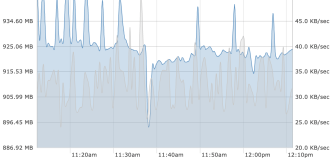
Learn to create stunning graphs that are custom fit to your needs and display them on your dashboards.

Discover and automatically onboard Azure devices to your existing monitoring configuration.

Automatically discover and onboard Cisco Meraki managed switches, routers, and wireless devices.

Monitor the contents of your POP3 servers with FrameFlow's POP3 Event Monitor.
Watches your AWS instances, elastic IPs, snapshots, and security groups for state changes.
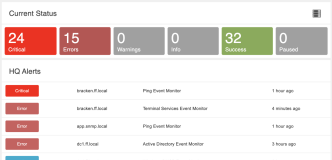
Learn how to utilize the current alerts and current status dashboard panels in your dashboard configuration.
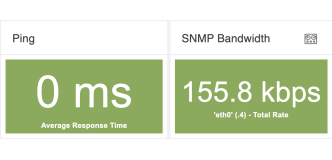
Use the data point list and data point value dashboard panels to view important metrics at a glance.
Populates a tab containing inventory data for every network device associated with the event monitor.

Detects and automatically onboards Vmware VMs and hosts to your monitoring configuration.

Watches your Microsoft Azure configuration and collects billing information.

Watches your AWS configuration, collects billing information, and alerts based on current and projected costs.

Monitors changes in any selected CloudWatch metric and sends customized alerts.

Get alerted about status changes for your Meraki VPN links and receive an alert of your choice if any link is down.
Performs file transfer requests to verify that your FTP servers are up and running.

Uses VBScript to create new monitoring actions to watch metrics specific to your monitoring configuration.
Collect and refresh inventory data for all your Linux-based devices with the Linux Inventory Event Monitor.
Coming Soon
Coming Soon
We're just getting started. Pop by again in a few days to view our latest tutorials.