FrameFlow's Linux/SSH Swap Event Monitor connects to devices via SSH and monitors device swap usage size, percentage, and more. It keeps round-the-clock tabs on swap metrics and sends you alerts on the schedule that you choose, allowing you to customize the alert types and frequency.
✔ Documenting and alerting about swap usage size
✔ Receiving alerts about whether or not swap is enabled
The Linux/SSH Swap Event Monitor has dedicated alerting options for swap usage size and percentage, which lets you choose how to measure this metric. Use the option to alert on swap usage size to enter specific sizes in your preferred unit of data. Use the percentage option to measure swap usage size in terms of percentage. You can also use both of these options to receive alerts based on both metrics.
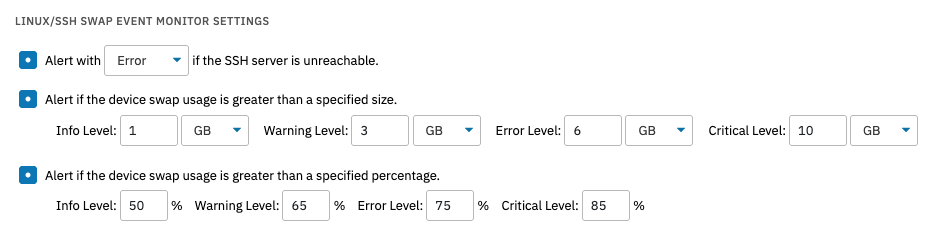 Swap Size and Percentage
24x7 Linux Device Swap Status Updates
This event monitor also has two options that will alert you if swap is enabled or disabled, respectively. Using both of these options, you can receive an alert of your choice of severity whenever device swap is toggled from enabled to disabled and vice versa.
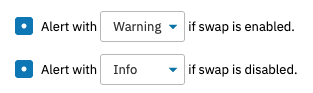 Swap Enabled/Disabled Alert Options
Device Swap Notification Preferences
Each time your SSH Swap Event Monitor runs, it generates data you can find in the Status tab of your event monitor. There are several options that let you include additional information in the event monitor's output. First, you can include a list of all detected swap devices in the event monitor's notifications. The same option exists for swap processes. As with our other Linux-focused monitors, you can also include a table of result data in the event monitor output. These options can help you record and track swap data over time.
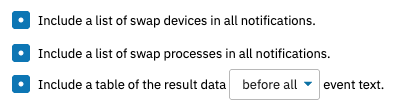 Notification Preferences
Comprehensive Linux Monitoring
This event monitor is only the beginning of our support for Linux monitoring. FrameFlow has over a dozen specialized Linux event monitors, from bandwidth and process event monitors to event monitors that watch for restart or login events. Take a moment to scroll through the event monitor library on our knowledge base website to view the total list of over 120 event monitors that we offer. We even have an event monitor that lets you create custom monitoring actions using PowerShell.
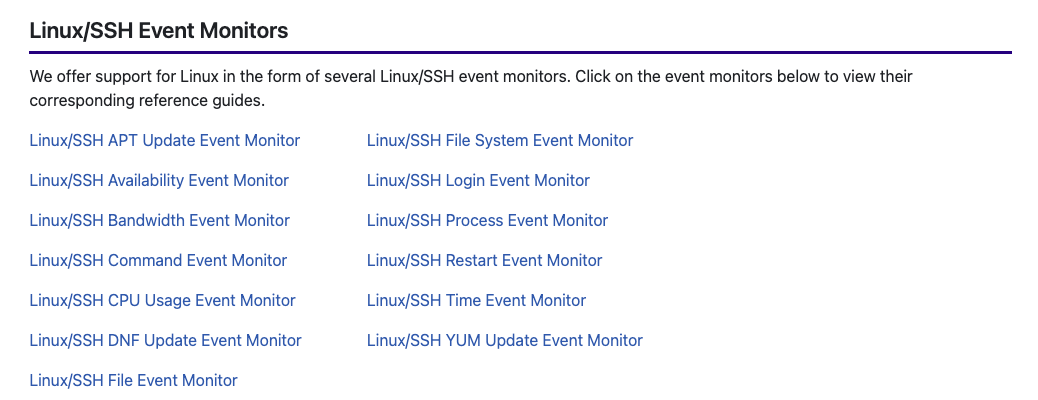 Linux Monitoring with FrameFlow
There are so many reasons to try FrameFlow for free today. We offer a full-featured 30-day trial period during which you'll get to dig into the monitoring features we described in this article and many more. From servers and networking gear to cloud assets, FrameFlow seamlessly monitors your entire IT environment. See for yourself!
More IT Monitoring Features