The Intune Autopilot Event Monitor watches over devices in Windows Autopilot and sends alerts if their status changes. The event monitor alerts about changes in device enrollment and assignment as well as the addition or removal of devices.
✔ Receiving alerts about Autopilot device status
✔ Generating a table of all Autopilot devices
Receiving alerts early is one of the keys to efficient monitoring. FrameFlow performs checks on your critical devices on a customizable schedule. This means that you can perform checks as regularly or as infrequently as required for your monitoring goals. For the Intune Autopilot Event Monitor, we recommend configuring the event monitor to run a few times a day to gather current information about your devices and send alerts about the following conditions.
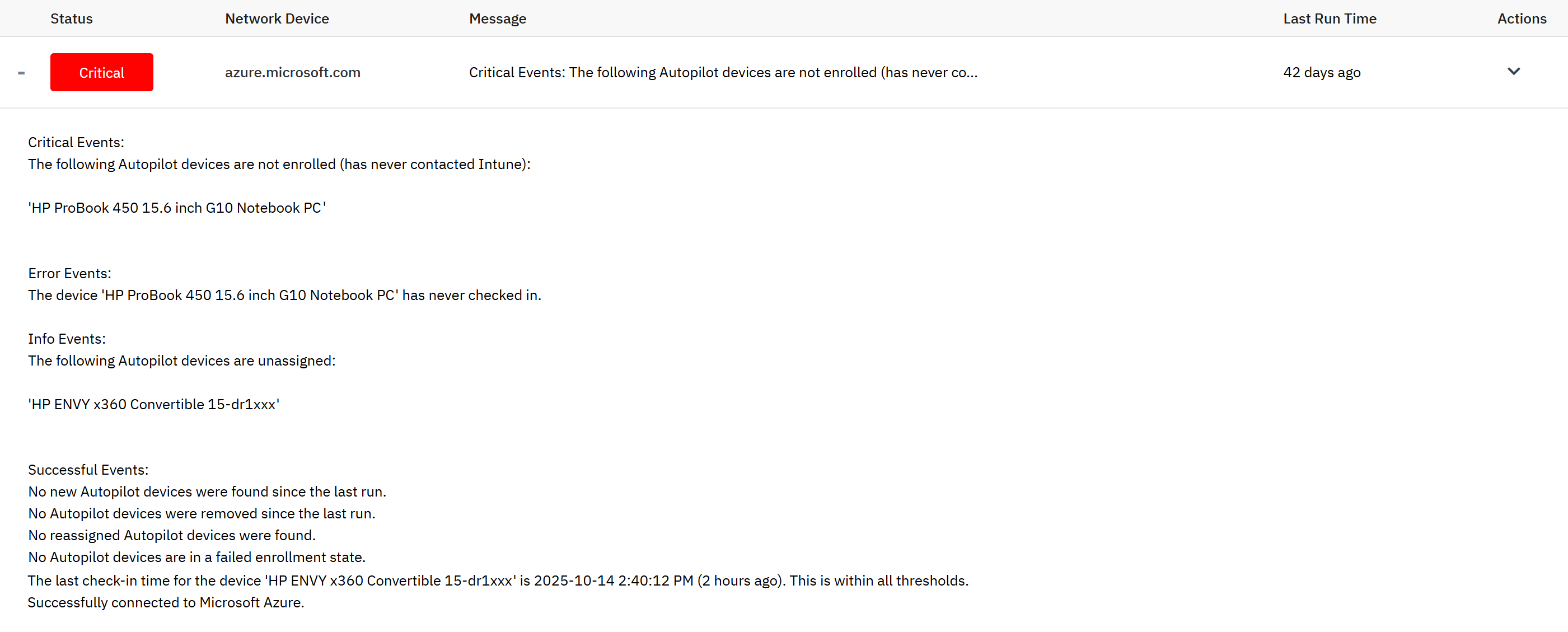 Intune Autopilot Event Monitor Output
The Intune Autopilot Event Monitor has several settings that send customized alerts about your Windows Autopilot devices. You can receive an alert of your choice of severity for the following metrics:
- New or removed devices
- Devices that are unassigned or reassigned
- Device enrollment in Microsoft Intune
- Devices that have taken too long to check in
With these options, you can receive regular updates about the status of each of your organization's devices in Windows Autopilot and manage them when needed. You can even keep a table of devices that updates each time the event monitor runs so you can quickly view the status of all devices.
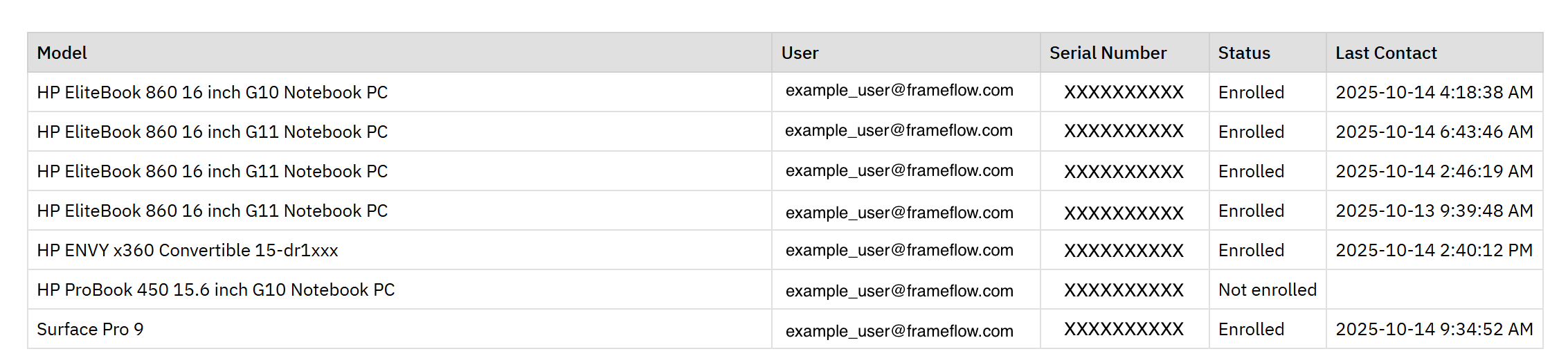 Table of Autopilot Devices
The Intune Autopilot event monitor is one of six dedicated Microsoft Intune event monitors that FrameFlow provides. The other monitors cover metrics like compliance, user experience, inventory, and managed apps. We even have a discovery event monitor that automatically adds new Intune devices to a device group on the FrameFlow platform. Check them out to learn how to comprehensively monitor other aspects of Intune with FrameFlow!
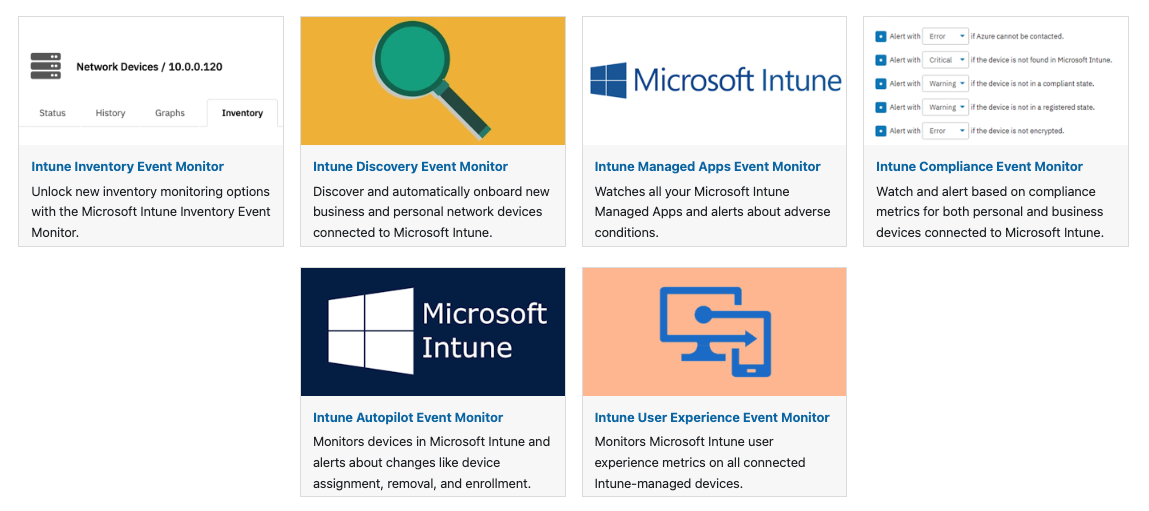 FrameFlow Microsoft Intune Monitors
Now that you know about FrameFlow's Intune monitoring features, why not give us a try? FrameFlow's 30-day free trial is fully-featured and risk-free. No credit card, no sales calls, and no commitment needed. For 30 days, you can try all our monitoring features to see what monitoring with FrameFlow can do for your organization. Download our free trial today to see for yourself!
More IT Monitoring Features