Reducing your Azure Costs with FrameFlow
Did you know that you can use FrameFlow to monitor and reduce your monthly Microsoft Azure bills? FrameFlow allows you to monitor and display your month-to-date and forecasted Azure bill, sending you alerts if the values you specify are exceeded. Monitoring your Azure bills can help your team stay within budget and avoid unnecessary bill spikes. Read on to learn about the FrameFlow tools you can use to accomplish this.
Microsoft Azure Cost Monitoring
It's important to monitor your Microsoft Azure costs to avoid unnecessary spikes in your monthly bill. FrameFlow has an Azure Billing Event Monitor that watches your bill throughout the month and alerts you if it exceeds the costs you specify.
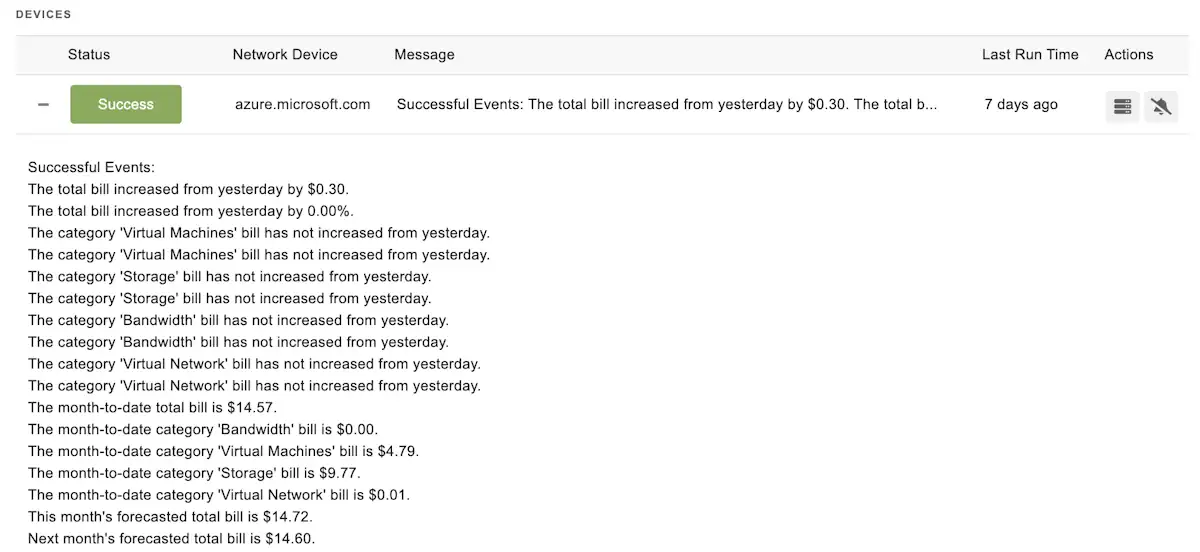 Azure Billing Event Monitor Output
Month-to-Date and Forecasted Bill Monitoring
FrameFlow's Azure Bill Monitor can also forecast your month-to-date and upcoming monthly bills, allowing you to course-correct to stay within budget in real time. Optimizing your monthly spend on subscriptions doesn't have to be a guessing game. Before you receive your bill, you can predict the projected costs with FrameFlow's Microsoft Azure Billing Event Monitor.
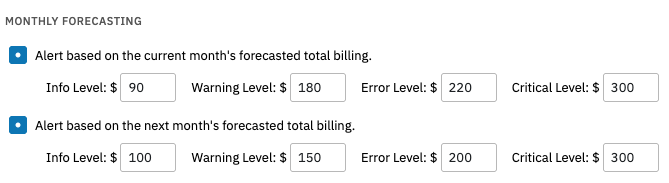 Forecasting Options
Azure Cost Monitoring Graphs and Dashboards
FrameFlow also has visualization tools like graphs and dashboards that help you keep an eye on your costs throughout the month. You can display our dashboards on a monitor to keep you and your team informed about the month-to date or predicted costs.
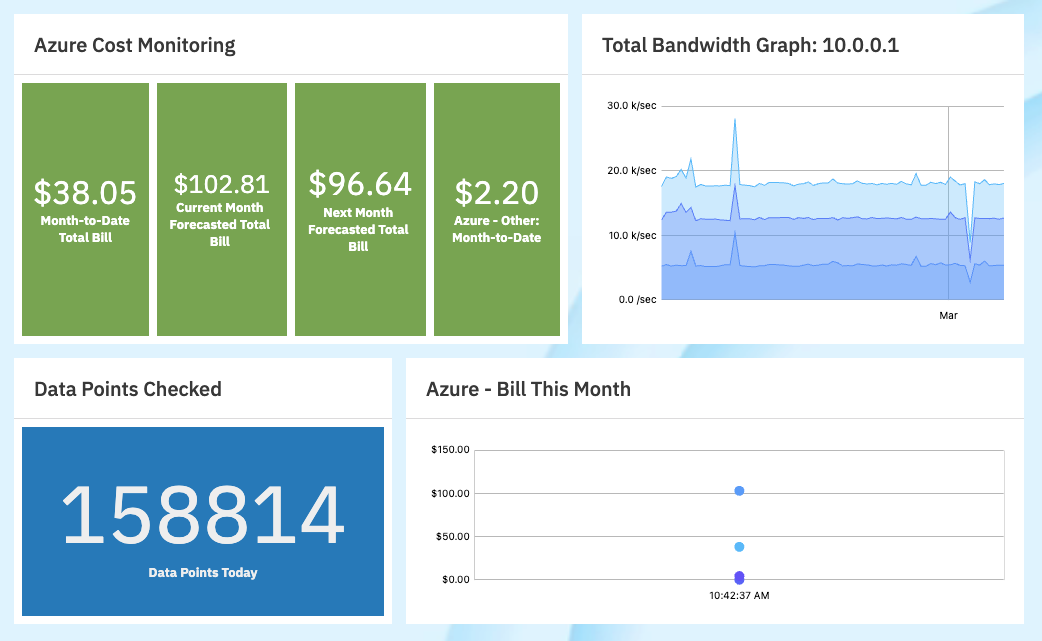 Azure Cost Monitoring Dashboard Panels
Each billing event monitor generates graphs of its data as well. The Azure Billing Event Monitor has data points for the month-to-date bill as well as the daily bill increase expressed in dollars and as a percentage. You can visit the Graphs tab on your billing monitors to keep an eye on potential spikes throughout the billing period.
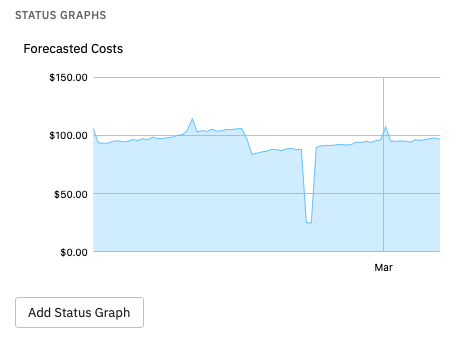 Azure Billing Graph
Monitoring Azure Resources
FrameFlow's Azure Resource Event Monitor can help you control your monthly Azure bill as well. Each Azure resource costs extra money at the end of the month. This event monitor can send you alerts when new resources are added, which is important for auditing costs. The other major benefit of adding an Azure Resources Event Monitor to your FrameFlow config is that you can include a table of resources in the event monitor's output. This lets you monitor costs by reviewing what resources are necessary for your organization.
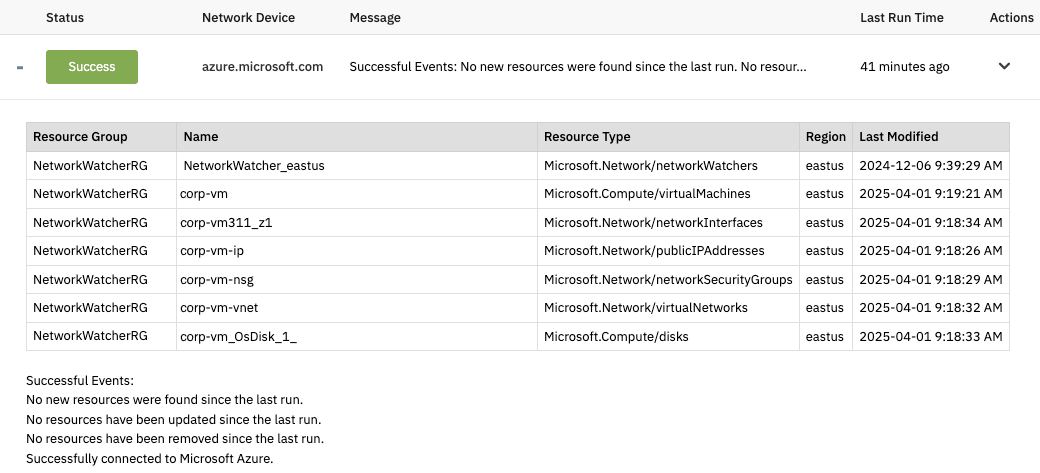 Azure Resources Monitor Output with Table
Try FrameFlow for Azure Bill Monitoring Today
If the features we mentioned in this article seem useful for you and your team, we encourage you to try FrameFlow today! You can test the features we mentioned here, plus the entire range of FrameFlow's 120+ event monitors.
Are you new to FrameFlow? Download now to take it for a spin for free for 30 days and start taking advantage of its enterprise IT monitoring features.