Reducing your AWS Costs with FrameFlow
Did you know that FrameFlow can help you monitor and reduce your monthly Amazon AWS bill? AWS bills can rack up quickly without consistent monitoring, especially in larger IT environments. This article will teach you how to use FrameFlow to monitor, predict, and reduce your monthly bills with several of our monitoring tools.
Month-to-Date and Forecasted Billing
With FrameFlow's AWS Billing Event Monitor, you can gather data and receive alerts about your monthly Amazon AWS bill. You can enter the costs in dollars that you don't want your monthly bill to exceed and receive alerts if these values are reached. You can also use FrameFlow to record monthly costs as data points, letting you audit average monthly costs over time.
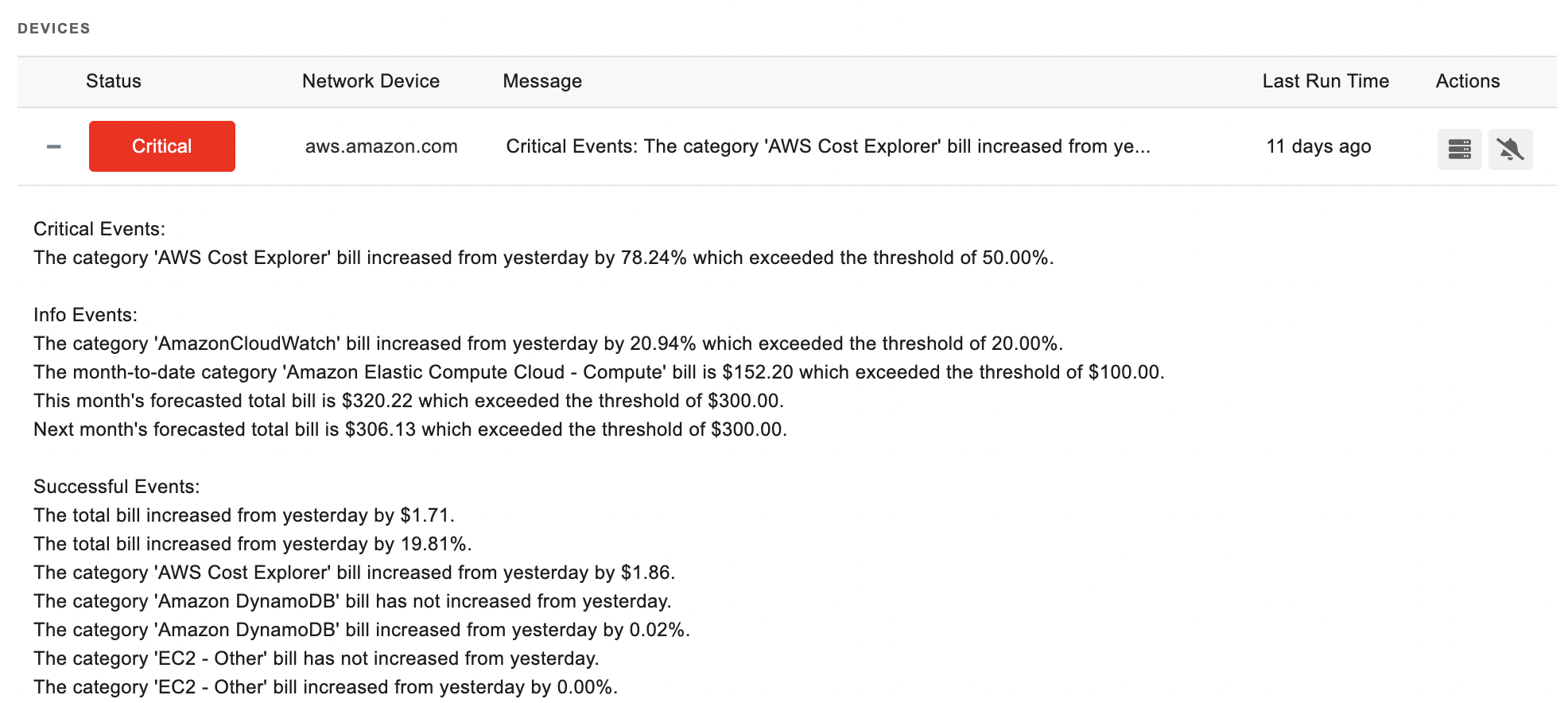 AWS Billing Event Monitor Output
FrameFlow's bill forecasting features are also available on several of our event monitors, including the AWS Billing Event Monitor. These features will alert you if your bill reaches the threshold prices that you input. It also has bill forecasting features not only for the current month, but for the upcoming month as well. With these features, you can receive custom alerts when costs rise throughout the month and take action to lower your bill before the end of the month arrives.
Monitor 24x7 with Billing Graphs and Dashboards
FrameFlow has visual tools that are handy for keeping an eye on your costs throughout the month. You can keep an eye on the graphs generated by your billing event monitors each time they run with the Graphs tab.
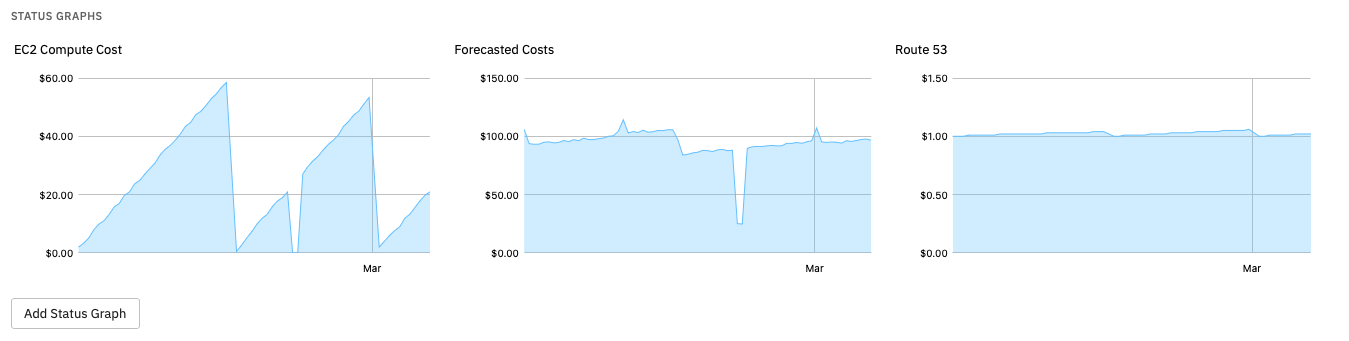 AWS Billing Graphs
You can even create a dashboard with custom panels that track your bill throughout the month.
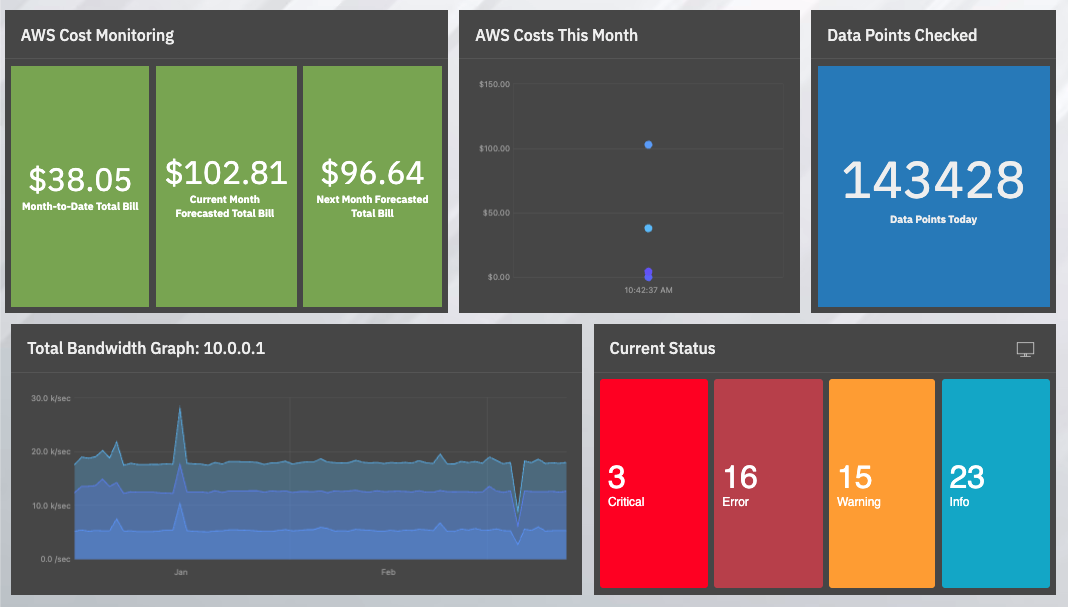 Dashboard with Bill-Tracking Panels
Amazon AWS EC2 Monitoring
Our AWS EC2 Event Monitor watches your AWS instances, elastic IPs, snapshots, and security groups, with options to alert you when the state of any instance changes. It provides a great way to manage your instance count and also provides an audit trail for future analysis.
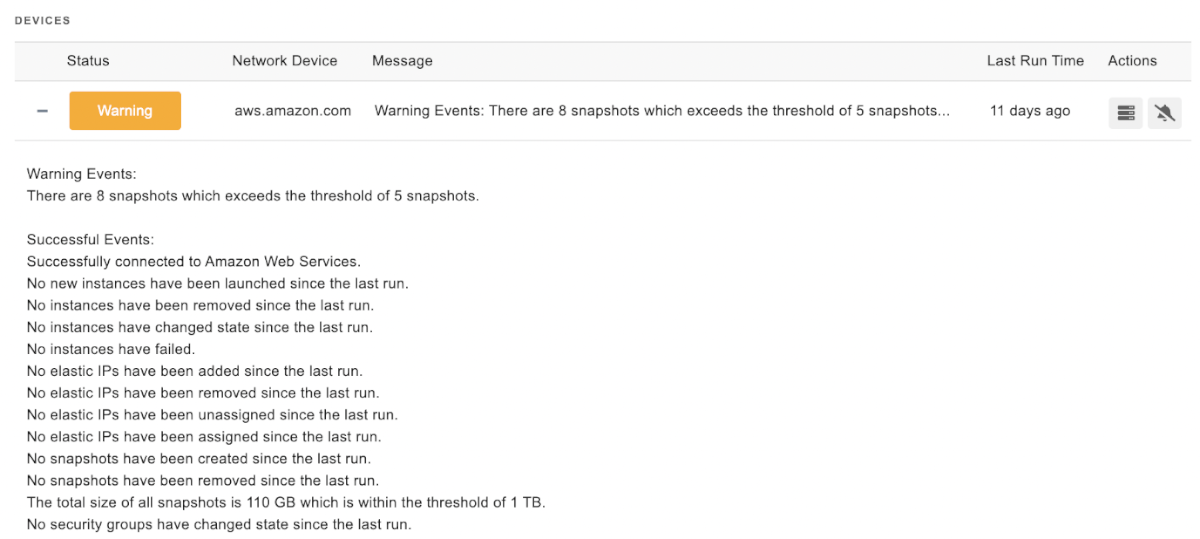 AWS EC2 Monitor Output
AWS DynamoDB Monitoring
FrameFlow's AWS DynamoDB Event Monitor can also help you keep a handle on your monthly costs. Bursts in database request rates can happen unexpectedly, leading to surprises in your monthly bill. Luckily, this event monitor has options to help you mitigate these spikes. With options to send alerts based on consumed and provisioned read and write capacity, the DynamoDB Event Monitor will watch your DynamoDB tables and send you alerts that help you mitigate a high bill at the end of the month.
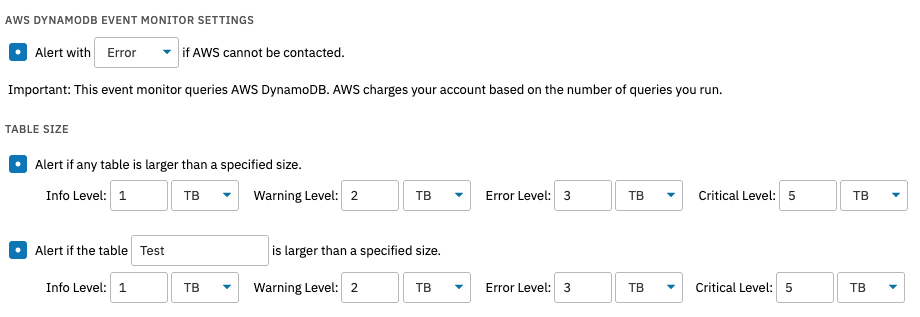 DynamoDB Event Monitor Settings
Amazon AWS Lambda Monitoring
The AWS Lambda Event Monitor watches key Lambda metrics from AWS, including errors, throttles, execution duration, and more. Increased traffic or errors with development or deployment can balloon monthly costs. FrameFlow can help you detect problems like this before your monthly bill is affected too greatly.
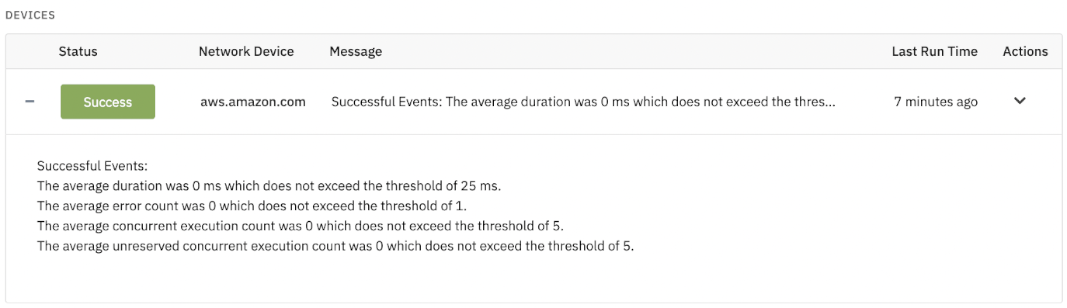 AWS Lambda Monitor Sample Output
Monitor and Control your AWS Bill with FrameFlow
As you can see, FrameFlow can help you monitor your AWS bill throughout the month, providing tools for auditing, determining averages, detecting excess spending, and more. These tools are valuable for organizations looking to optimize their monthly AWS bill and trim excess spending. If this sounds good to you, we encourage you to give FrameFlow IT monitoring a try.
Are you new to FrameFlow? Download now to take it for a spin for free for 30 days and start taking advantage of our enterprise IT monitoring features. No credit card, sales call, or obligation needed.